CakePHP and Cherokee
How to configure Cherokee web server to serve a CakePHP application with the correct rewrite rules.
Getting CakePHP working with cherokee is really simple:
First put your CakePHP files into any directory. For me it’s /home/daniel/Web/dcms.
You can delete all the .htaccess files:
/.htaccess
/app/.htaccess
/app/webroot/.htaccess
Add a new virtual host to cherokee, set the document root to the CakePHP
webroot: /home/daniel/Web/dcms/app/webroot. Directory Indexes should be set to index.php.
Add a new PHP rule - with the new wizard it’s really simple - and keep the default settings. Add a new ‘file exists’ rule and let it match ‘Any File’ and handle it as ‘Static Content’.

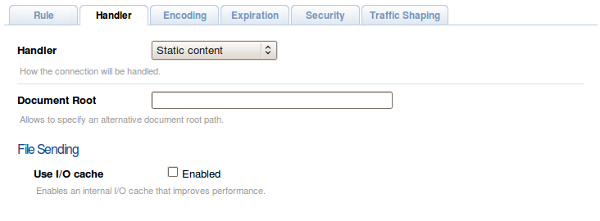
How we need to modify the default rule. Change the handler to ‘Redirection’ and setup the regex like this:
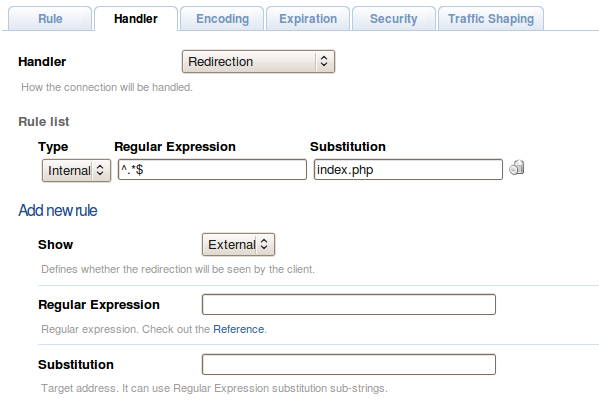
(Internal, ^.\*$, index.php)
That’s it!
Just make sure that the rules are in the correct order (php, any file, default):

Just save and access CakePHP via your defined domain.
